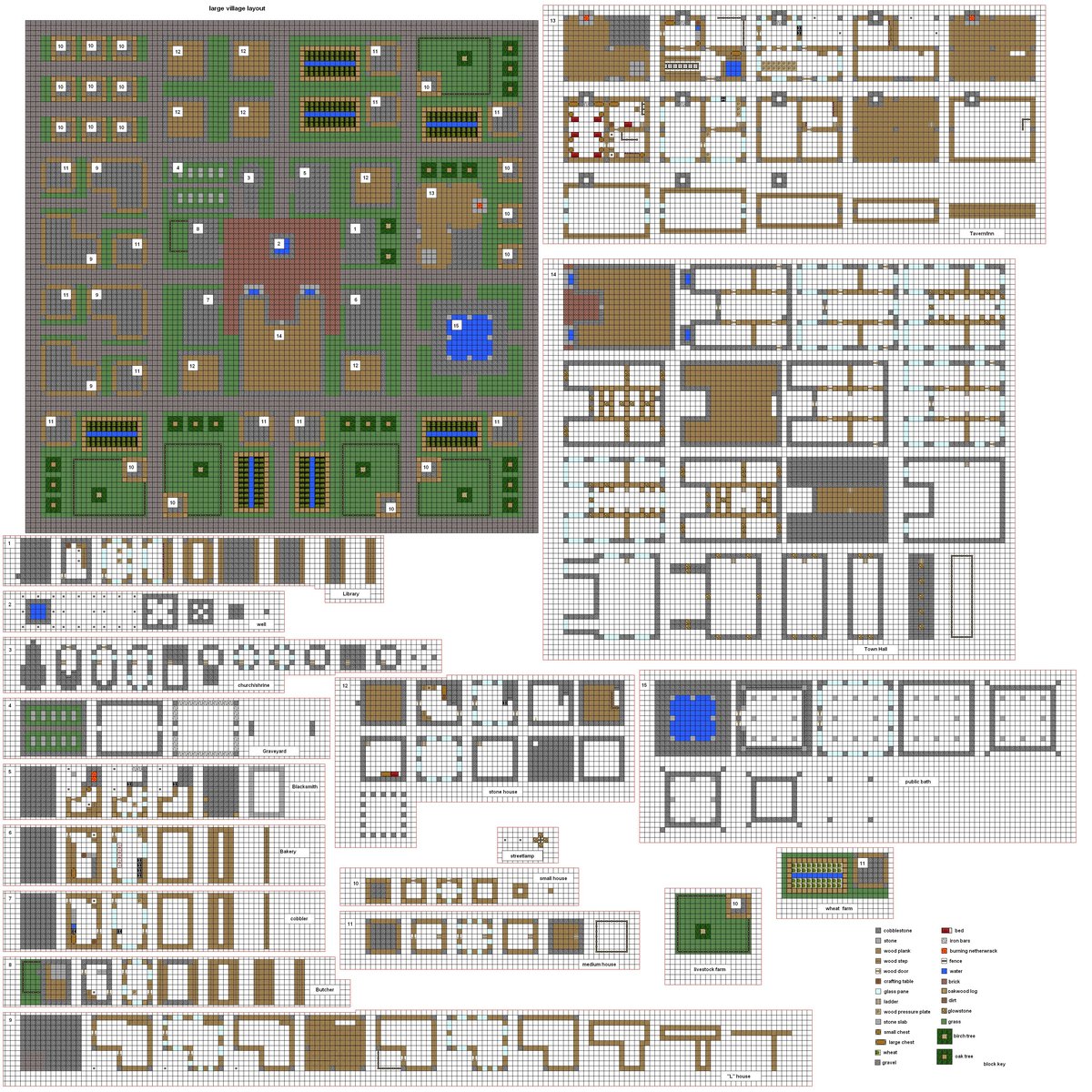
Dive into any Minecraft server, and you'll quickly realize that imagination is the only true limit. But turning ambitious ideas for themed worlds—be it a sprawling Medieval kingdom, a sleek Modern metropolis, or an otherworldly Sci-Fi outpost—into reality often requires more than just raw creativity. This is where themed Minecraft blueprints become your secret weapon, offering a structured path to build stunning, coherent, and utterly immersive environments.
Whether you're struggling with block palettes, layout dilemmas, or simply need a jumpstart for your next grand project, understanding how to find, use, and even adapt blueprints can transform your building experience from tedious to triumphant.
At a Glance: Crafting Your Themed World
- Blueprints as Guides: Learn how schematics and templates serve as invaluable starting points for complex builds.
- Find Your Style: Discover the distinct characteristics, essential blocks, and design philosophies for Medieval, Modern, and Sci-Fi themes.
- Source Smart: Navigate community hubs like Planet Minecraft to find a treasure trove of downloadable blueprints and inspiration.
- Tool Up: Understand the basic tools and techniques for importing and customizing blueprints in your game.
- Beyond Copying: Master the art of adapting and evolving blueprints to make them uniquely yours, fostering true creative growth.
What Exactly Are Themed Minecraft Blueprints?
Before we dig into specific aesthetics, let's clarify what we mean by "blueprint" in the Minecraft context. Unlike architectural plans in the real world, Minecraft blueprints typically refer to digital schematic files (.schem or .schematic files) that capture a completed build's structure and block data. Think of them as 3D snapshots of a creation, ready to be pasted into your world.
These aren't just for copying; they're powerful learning tools. They help you understand intricate block combinations, advanced structural techniques, and scale ratios that professional builders employ. For those looking to delve deeper into the mechanics of Minecraft blueprints, a wealth of resources exists to guide you. When tailored to a specific theme like medieval castles or modern skyscrapers, these blueprints provide a foundational framework that ensures design consistency and saves countless hours of planning and trial-and-error.
Why Bother with Blueprints?
- Time-Saving: Skip the initial design phase and jump straight to construction or modification.
- Learning Opportunity: Deconstruct professional builds to learn new techniques, block palettes, and architectural styles.
- Consistency: Maintain a unified aesthetic across large projects, especially helpful for multi-player servers or extensive themed areas.
- Inspiration: Even if you don't use a blueprint verbatim, it can spark ideas for your own original creations.
- Complexity Made Easy: Tackle builds that might otherwise feel overwhelming, like intricate redstone contraptions or colossal structures.
The Grand Eras: Exploring Medieval, Modern, and Sci-Fi Themes
Each theme carries its own unique charm, design principles, and essential building blocks. Understanding these nuances is crucial for both selecting the right blueprint and adapting it to your vision.
Embracing the Past: Medieval Minecraft Blueprints
The Medieval theme transports you to an era of knights, castles, cobblestone villages, and sprawling farmlands. It’s a favorite for its rustic charm, functional aesthetics, and the sense of history it evokes.
Key Characteristics & Aesthetics:
- Materials: Stone (cobblestone, stone bricks, deepslate), various wood types (oak, spruce, dark oak), terra cotta, and wool for flags or awnings. Think natural, earthy tones.
- Architecture: Sturdy, often asymmetrical structures. Towers, battlements, pointed roofs, arches, and intricate timber-frame details are common.
- Functionality: Builds often reflect practical needs: farms, blacksmiths, taverns, watchtowers, and fortifications.
- Atmosphere: A sense of age, grandeur, and sometimes a touch of ruggedness or even foreboding.
Essential Blocks for a Medieval Palette:
- Primary Structure: Cobblestone, Stone Bricks, Mossy Stone Bricks, Deepslate Bricks, Black/Gray Terracotta.
- Accents & Detail: Oak/Spruce/Dark Oak Planks & Logs (stripped for timber framing), various Slabs & Stairs, Walls (cobblestone, stone brick), Andesite, Diorite (polished), Coarse Dirt, Grass Blocks.
- Roofs: Spruce/Dark Oak Stairs (for pointed roofs), Stone Bricks.
- Windows: Glass panes (often stained brown or gray), Fences, Iron Bars.
- Decor: Lanterns, Campfires (for smoke), Barrels, Hay Bales, Banners, Brewing Stands, Grindstones.
Common Medieval Builds & Examples:
From the community blueprints on Planet Minecraft, we see a rich tapestry of medieval life:
- Castles & Fortifications:
Medieval Castle & PvP Arena,Sharov Mahal - Shape Challenge. These are often massive undertakings featuring keeps, curtain walls, and gatehouses. - Villages & Homesteads:
Medieval Deepslate Village,Meadow Farmstead Medieval | Java & Bedrock,Medieval Starter Base,Medieval Lumber House,Free! Medieval House - Download!. These range from humble homes to elaborate farming compounds. - Specialized Structures:
Northgard Mart,Northgard Sentry Camp,Northgard Foraging Post,Northgard Smithy,Northgard Tavern,Medieval Herbalist's Trade-Shack. These add essential services and lore to your world. - Environment & Landscaping:
Medieval Farming Island,Terraced Wheat Fields,medieval island,Wood Farm. Integrating builds seamlessly into the terrain is a hallmark of good medieval design. - Dungeons & Adventure:
SERGI'S DUNGEON III - ADVENTURE MAP VANILLA 1.18.2showcases that medieval themes can also include thrilling adventure maps. - Historical Echoes: Even
151 x 151 Roman Spawn [Free Download]demonstrates how ancient architectural styles can blend with the broader "medieval" aesthetic, providing unique elements for grander builds.
Pitfalls to Avoid:
- Too Blocky: Medieval builds thrive on texture and detail. Avoid large, flat surfaces of a single block type.
- Repetitive Designs: Even in a village, vary the shapes and sizes of houses.
- Lack of Depth: Use stairs, slabs, and walls to add overhangs, window sills, and structural depth.
Leaping Forward: Modern Minecraft Blueprints
The Modern theme embraces minimalism, sleek lines, and often a touch of luxury. It's about functionality meeting aesthetic purity, with an emphasis on geometric shapes and open spaces.
Key Characteristics & Aesthetics:
- Materials: Smooth, clean blocks dominate. Quartz, concrete (gray, white), glass, polished stone, and sometimes darker wood or metal accents.
- Architecture: Geometric precision, flat roofs (or subtle slopes), large windows, open-plan interiors, and often cantilevered sections.
- Functionality: Designed for efficiency and comfort, featuring automated doors, complex lighting, and integrated redstone.
- Atmosphere: Clean, sophisticated, sometimes sterile, with an emphasis on light and space.
Essential Blocks for a Modern Palette:
- Primary Structure: Quartz Blocks (various forms), White/Light Gray Concrete, Polished Andesite/Diorite, Smooth Stone, Blackstone (polished).
- Accents & Detail: Iron Blocks, Dark Prismarine, Black Glazed Terracotta, Sea Lanterns, Glowstone (hidden).
- Roofs: Flat, often made of Concrete or Smooth Stone slabs.
- Windows: Large expanses of Glass Panes (clear, light gray, black).
- Decor: Iron Doors, Item Frames (for minimalist art), Carpets, Shulker Boxes (as minimalist storage), Piston (for automated features), Lecterns.
Common Modern Builds:
- Suburban Homes: Elegant, functional houses with garages, swimming pools, and manicured gardens.
- Skyscrapers & City Blocks: Towering structures featuring glass facades, rooftop gardens, and intricate lighting.
- Urban Infrastructure: Shopping malls, public parks, transportation hubs (subway stations, airports).
- Minimalist Interiors: Open-plan living spaces, sleek kitchens, and smart home features.
Pitfalls to Avoid:
- Lack of Detail: While minimalist, modern builds still need careful detailing with slabs, stairs, and appropriate textures.
- Empty Interiors: Open plans can feel hollow without thoughtful furniture and decor placement.
- Monotony: Too much of one color or material can make a build bland; introduce subtle variations.
Charting the Future: Sci-Fi Minecraft Blueprints
Sci-Fi builds push the boundaries of imagination, bringing alien worlds, advanced technology, and dystopian futures to life. This theme is all about innovation, often incorporating complex redstone and intricate designs.
Key Characteristics & Aesthetics:
- Materials: A blend of metallic, glowing, and often alien-looking blocks. Iron, prismarine, dark prismarine, blackstone, basalt, crying obsidian, glowstone, sea lanterns, and various colored concretes.
- Architecture: Geometric but often asymmetrical, with sharp angles, glowing accents, complex machinery, and suspended structures. Think spaceships, futuristic cities, and alien habitats.
- Functionality: Redstone is paramount, powering automatic doors, security systems, advanced lighting, and complex command centers.
- Atmosphere: Futuristic, technological, mysterious, often awe-inspiring or menacing.
Essential Blocks for a Sci-Fi Palette:
- Primary Structure: Iron Blocks, Smooth Basalt, Polished Blackstone, Dark Prismarine, Black/Cyan/Purple Concrete.
- Accents & Detail: Gray/Light Gray/White Concrete, Blue/Light Blue/Cyan/Purple Terracotta (glazed for texture), Crying Obsidian, End Stone Bricks, Purpur Blocks.
- Lighting: Sea Lanterns, Glowstone (often hidden or covered), Shroomlights, Redstone Lamps, Beacon.
- Windows: Large windows of Tinted Glass, Black Glass Panes, or even custom force fields using Barriers (in creative mode).
- Decor: Redstone Components (Pistons, Observers, Dispensers), Command Blocks (for specialized effects), Armor Stands (as robots or display cases), conduits, chains, grindstones (as vents).
Common Sci-Fi Builds:
- Spaceships & Space Stations: Intricate designs with engines, living quarters, cockpits, and docking bays.
- Research Labs & Control Centers: Filled with glowing displays, complex wiring, and advanced machinery.
- Cyberpunk Cities: Densely packed, vertically oriented cities with neon lighting, advanced transportation, and a gritty, high-tech feel.
- Alien Outposts: Organic or stark structures that look like they belong on another planet.
- Robots & Mechs: Detailed mechanical constructs, often scaled up.
Pitfalls to Avoid:
- Over-reliance on Light: While sci-fi is bright, balance glowing blocks with areas of shadow to create depth and drama.
- Messy Redstone: For functional builds, plan your redstone carefully to keep it compact and hidden.
- Lack of Scale: Sci-fi builds often benefit from being large and imposing to convey their advanced nature.
Your Blueprint for Success: Finding and Using Blueprints
Now that you have a grasp of the themes, let's get practical. Finding the right blueprint and seamlessly integrating it into your world is easier than you might think.
Where to Unearth Themed Blueprints
The Minecraft community is incredibly generous, and several platforms act as treasure troves for builders.
- Planet Minecraft (PMC): This is arguably the largest and most active hub.
- How to Search: Use the "Projects" section and filter by "Schematic" under "Downloadable Files." Then, use tags like "medieval," "modern house," "sci-fi base," or more specific terms like "medieval castle" or "spaceship." The ground truth examples like
Medieval Farming IslandandNorthgard Marthighlight the depth available. - What to Look For: Pay attention to the version compatibility, block count (if using WorldEdit), and creator's reputation. Read comments for insights.
- Minecraft-Schematics.com: A dedicated site specifically for schematics, organized by categories.
- YouTube Tutorials & Showcases: Many builders offer free downloads of their creations. Look for videos tagged with "schematic download" or "world download."
- Community Forums & Discord Servers: Builders often share their work directly within themed communities.
- Pinterest & Instagram: While not direct download sources, these platforms are fantastic for visual inspiration. The Minecraft: Medieval Builds Pinterest board provides excellent visual cues even if the images aren't always directly from Minecraft.
Pro Tip: Don't limit your search to just "blueprints." Terms like "schematics," "templates," "builds," "maps with download," or even "world saves" can lead you to fantastic resources. For a more exhaustive resource on Minecraft blueprints, consider diving into a comprehensive guide.
Essential Tools for Blueprint Importation
To get a blueprint from your downloads folder into your Minecraft world, you'll need one of these popular mods:
- WorldEdit (Forge/Fabric/Bukkit/Sponge): The most versatile and powerful tool.
- Functionality: Allows you to load schematics, paste them, rotate, flip, and even scale them. It's fantastic for both single-player and server administrators.
- How to Use (Simplified):
- Place the
.schemor.schematicfile in your//config/worldedit/schematicsfolder (or equivalent depending on your setup). - In-game, type
//schem load <filename>(e.g.,//schem load medieval_house). - Position yourself where you want the build's origin point (usually a corner or center, depending on how the schematic was saved).
- Type
//paste. - Optional:
//rotate <degrees>,//flip,//cut,//set.
- Key Consideration: WorldEdit pastes the build instantly, which can cause lag on slower machines or large schematics.
- Litematica (Fabric): A client-side mod perfect for survival mode.
- Functionality: Doesn't paste builds instantly. Instead, it projects a transparent "ghost" image of the schematic into your world. You then place blocks according to the ghost, block by block. It's like building with a holographic guide.
- How to Use (Simplified):
- Place the
.litematicor.schemfile in your/.minecraft/schematicsfolder. - In-game, open the Litematica menu (usually
M+L). - Load your schematic and place it in the world.
- Follow the ghost image, using the "Materials List" to know which blocks you need.
- Key Consideration: Litematica requires manual building but is ideal for survival-friendly integration and learning.
Integrating Your Blueprint: Beyond the Paste
Simply pasting a blueprint is just the first step. True mastery comes from integrating and customizing it.
- Version Check: Always verify the blueprint's Minecraft version. Newer blocks won't appear in older game versions, and vice-versa.
- Terrain Adaptation: Don't just paste a flat-ground build onto a mountain. Use WorldEdit's terrain modification tools (e.g.,
//smooth,//overlay) or manually sculpt the landscape to fit. - Block Palette Swaps: Is the original build too bright for your medieval fantasy? Use WorldEdit's
//replace <old_block> <new_block>command to swap out blocks (e.g.,//replace dirt grass_block). - Interior Customization: Blueprints often focus on exteriors. Personalize the interiors with your own furniture, lighting, and layout.
- Weathering & Detail: For medieval builds, add mossy cobblestone, vines, or overgrown paths to give it an aged look. For modern or sci-fi, consider hidden lighting, detailed conduits, or advanced mechanisms.
- Scale and Context: Ensure the blueprint fits the scale of your world and the surrounding environment. A tiny medieval house in a vast empty plain feels out of place. Conversely, an enormous modern skyscraper might overwhelm a small starter town.
- Combine & Conquer: Don't be afraid to take elements from multiple blueprints. Maybe you love the roof of one medieval house and the foundation of another. Blend them!
Developing Your Own Themed Building Style
While blueprints are fantastic tools, they should also serve as a springboard for your own creativity. Don't just copy; learn, adapt, and innovate.
Learning from the Masters
Every blueprint you download offers lessons in:
- Block Combinations: How different blocks are used together to create textures and depth. For instance, notice how medieval builds frequently combine cobblestone, stone bricks, andesite, and various wood types to avoid flat surfaces.
- Structural Integrity (Visual): Even if it's not functional, how does the build look like it could stand up? How are roofs supported? How do walls transition?
- Detailing Techniques: Small touches like custom trees, lamp posts, fountains, or intricate wall patterns make a huge difference.
- Scale and Proportion: Observe how elements like doors, windows, and roof heights relate to the overall size of the structure. This is crucial for builds like the
25,500+ MEGA House Bundlefrom Horace Creations, where vast scale still demands careful proportion.
From Blueprint User to Blueprint Creator
Once you're comfortable using blueprints, consider creating your own. This is where your skills truly blossom.
- Start Small: Design a simple themed structure, like a medieval well, a modern bus stop, or a sci-fi cargo container.
- Define Your Palette: Before you place a block, decide on your core materials and accent blocks for your chosen theme.
- Sketch it Out: Use graph paper or a simple drawing program to plan your build's layout and main features.
- Build in Creative: Experiment without resource constraints.
- Use WorldEdit to Save: Once complete, use
//wandto select your build and//schem save <filename>to create your own blueprint. - Share with the Community: Upload your creations to platforms like Planet Minecraft. Your blueprint might just be the inspiration another builder needs!
Expand your knowledge on constructing amazing creations with Minecraft blueprints and elevate your game from builder to architect.
Common Questions and Misconceptions
Let's clear up some frequently asked questions about themed Minecraft blueprints.
"Are blueprints cheating?"
Absolutely not. Blueprints are tools, much like a hammer or a saw for a carpenter. They save time, teach techniques, and enable ambitious projects. The real challenge and reward come from integrating them into your world, customizing them, and using them as a learning resource. For competitive builders, sure, there might be specific rules, but for personal enjoyment and creative endeavors, they are entirely valid.
"Do blueprints work in all Minecraft versions (Java/Bedrock)?"
This is a critical point.
- Java Edition Schematics: Most blueprints you find online are designed for Java Edition (
.schemor.schematicfiles). These require mods like WorldEdit or Litematica. - Bedrock Edition: Bedrock Edition uses different file formats (e.g.,
.mcstructurefor structure blocks or.mcworldfor entire worlds). While some tools exist to convert Java schematics to Bedrock structures, it's not always seamless. Always check if a blueprint specifies "Java & Bedrock" compatibility, like theMeadow Farmstead Medieval | Java & Bedrockexample. If not, assume it's for Java.
"What if a blueprint uses blocks I don't have in my version?"
If a blueprint was made in a newer version of Minecraft than yours, any blocks specific to that newer version will appear as "air" or replace themselves with an invalid block type when pasted. Always try to match the blueprint's version to your game version. If you're building in an older version, you'll need to manually replace the missing blocks with suitable alternatives.
"Can I modify a blueprint after I paste it?"
Yes, and you absolutely should! A blueprint is a starting point, not a finished product. Change block types, add extensions, alter the interior, or integrate it with your existing builds. This customization is where your unique touch shines through. In fact, many builders use blueprints as robust foundational structures, then spend hours adding their own unique details and flair.
Crafting Your Vision: The Next Steps
The world of themed Minecraft blueprints is vast and exciting. You now have the knowledge to seek out stunning Medieval castles, design sleek Modern cityscapes, or construct awe-inspiring Sci-Fi outposts. Remember that the journey of building in Minecraft is a continuous loop of learning, creating, and sharing.
Don't be afraid to experiment. Download a few blueprints, even outside your primary theme, just to see how different builders approach design challenges. Study their block choices, their structural decisions, and their detailing. Then, take what you've learned and apply it to your own magnificent creations. The pixelated canvas awaits your next masterpiece.